
Finding a reliable way to carry your smartphone while jogging in the Philippines can be a surprisingly difficult task. With the tropical heat, high humidity, and sudden downpours, a standard arm band can quickly become a slipping, chafing nuisance that distracts you from your pace. Whether you are training along the active streets of Bonifacio Global City, running laps around the academic oval in UP Diliman, or navigating a quiet coastal road, a bouncing phone is more than just an annoyance—it can disrupt your running posture and risk damaging your expensive device.
To make an informed purchase, you must look beyond flashy marketing claims and focus on the practical mechanics of how a holder interacts with your body and your phone. The ideal arm phone holder must remain securely in place during repetitive arm movements, protect your device from heavy sweat and unexpected rain, and allow comfortable skin respiration. This comprehensive guide outlines the essential design features, fit verification steps, and material checks to help you select a high-performing holder from online marketplaces.
Core Features That Keep Your Phone Secure During Jogging
The primary job of any arm phone holder is to eliminate movement. When you jog, your arms swing in a repetitive arc, creating centrifugal force that constantly tries to pull the holder down your arm. To counteract this, the strap must feature a balanced combination of elasticity and width. A strap that is too narrow will concentrate pressure on a small area of your bicep, restricting blood flow and causing discomfort as your muscles pump during exercise. Look for straps that are at least two inches wide with soft, bound edges; these distribute the tension evenly across the muscle belly and prevent the material from cutting into your skin.
Products mentioned in this guide
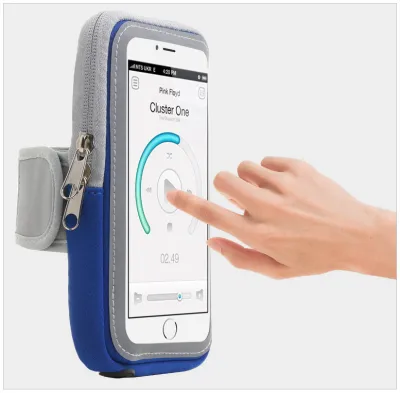
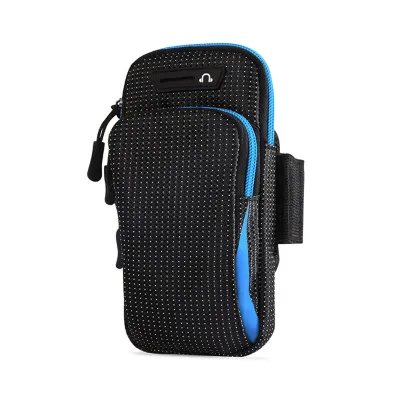
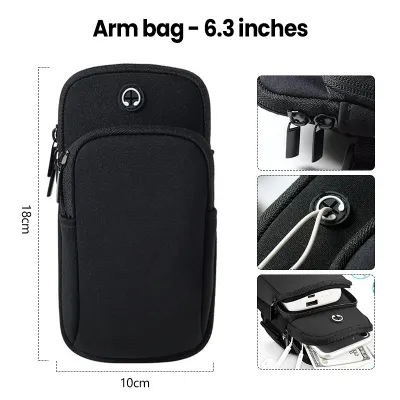
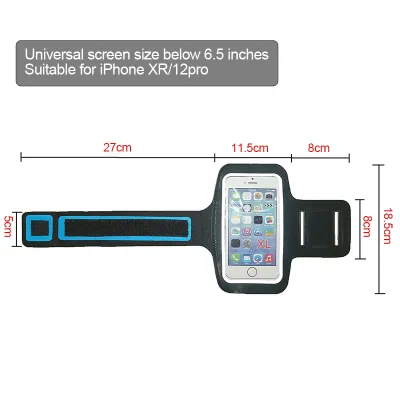
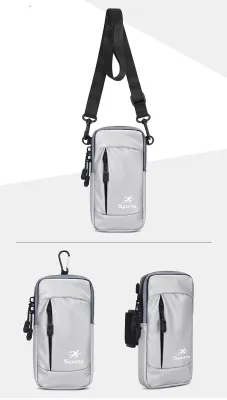
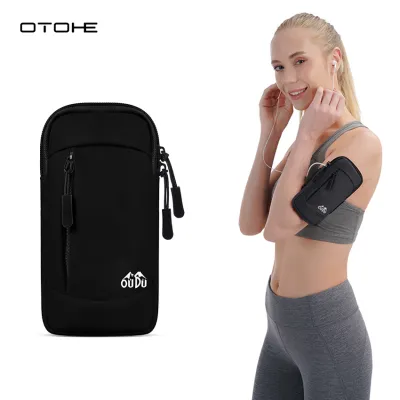
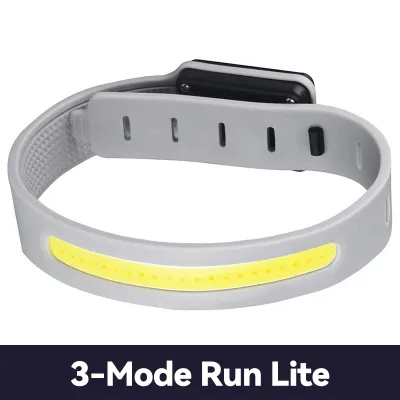
Prices are valid at publication and may change. Please refer to the product page for the latest price.
The closure mechanism is another critical factor in long-term security. While standard hook-and-loop fasteners are the most popular choice, their quality varies significantly. Low-grade fasteners feature thin, fragile hooks that quickly clog with lint, dust, and fabric fibers, leading to a rapid loss of grip strength. For a secure hold, look for high-density, low-profile hook-and-loop systems that maintain a firm lock even when completely saturated with sweat. Some advanced designs incorporate a dual-loop system to lock the tension in place, ensuring the band does not loosen mid-run.
Inside the holder, the phone compartment must provide enough tension to keep the device from shifting. If the phone slides around inside its pocket, it can alter the balance of the arm band and cause the entire unit to slide down your arm. Look for compartments lined with non-slip silicone patterns or textured neoprene backings that grip your phone’s back cover or protective case. Additionally, ensure the front window or frame offers sufficient bezel clearance. If the securing straps or plastic borders overlap with your phone’s screen corners, they can block essential face-unlock sensors, front-facing cameras, or corner-based navigation buttons on your fitness apps.
Types of Arm Phone Holders and Their Best Use Cases
Arm phone holders generally fall into three distinct design categories, each catering to different running styles, phone sizes, and environmental conditions. Understanding these types allows you to match the holder to your specific jogging habits.

Standard enclosed sleeves are the traditional choice for maximum protection. These holders feature a fully enclosed pocket—often secured by a zipper, Velcro flap, or fold-over envelope seal—and a clear plastic front window. They are highly effective at shielding your phone from dust, dirt, and light moisture, making them excellent for trail runners or those who jog in unpredictable tropical weather. The main drawback is heat retention; the enclosed space can trap heat generated by both your body and the phone’s processor, which may cause the device to warm up during long runs. Additionally, the plastic window can reduce touch screen responsiveness when sweat gets trapped inside.
Open-face or tactile screen designs offer a minimalist alternative for runners who need constant, unobstructed access to their devices. These holders typically use a flexible silicone web or a rigid plastic mounting bracket that clips onto the corners of your phone, leaving the screen, buttons, and ports completely exposed. This design is perfect if you frequently change music playlists, reply to urgent messages, or use GPS tracking apps that require manual inputs during your run. Because there is no plastic barrier, touch sensitivity remains perfect. However, because the phone is fully exposed to the elements, this style is only suitable for water-resistant phone models and dry weather conditions.
Bicep-focused compression sleeves represent a newer, highly comfortable category. Instead of using an adjustable strap with a fastener, these holders consist of a continuous band of stretchy, high-performance fabric (such as a nylon-spandex blend) that you slide up your arm. The phone slips into an integrated pocket on the side. These sleeves distribute weight incredibly evenly around the entire circumference of your arm, virtually eliminating hot spots and chafing. They are exceptionally comfortable for long-distance jogging, though they require precise sizing to ensure they do not slide down, and they offer very limited screen visibility while running.
How to Measure and Ensure a Comfortable, Snug Fit
Achieving a comfortable fit requires precise measurement before you place an order online. Many runners make the mistake of guessing their arm size, only to find the strap is either too short to close securely or too long to tighten properly. To measure your arm accurately, use a flexible tailor’s tape measure. Wrap it around the widest part of your bicep while your arm is relaxed, then repeat the measurement with your bicep slightly flexed. Because your muscles expand during exercise as blood flow increases, your holder must accommodate this dynamic change without becoming constrictively tight.
Once you have your measurements, compare them carefully against the manufacturer’s sizing charts. Pay close attention to the minimum and maximum adjustability limits of the strap. Ideally, your arm circumference should sit comfortably in the middle of the specified range. If your arm measurement is near the maximum limit, the strap will stretch to its absolute capacity, accelerating elastic degradation. Conversely, if your arm is near the minimum limit, you will have a large amount of excess strap material overlapping, which can catch on your clothing or flap annoyingly as you run.
When you first try on your arm phone holder, perform a quick fit test before heading out for a full run. Put the holder on, insert your phone, and jog in place or do a few jumping jacks. Pay attention to how the band feels on your skin. A proper fit should feel snug but not restrictive; you should be able to slide two fingers flat underneath the strap without struggling. If you experience tingling, coldness, or numbness in your hand or fingers, the strap is too tight and is restricting your circulation. If the holder slides down past your elbow during a brief test, it is either too loose or the backing material lacks sufficient grip.
Evaluating Weather Resistance and Durability for Outdoor Runs
In the tropical climate of the Philippines, weather resistance is a non-negotiable feature for running gear. Sweat is highly corrosive due to its salt content, and it can easily penetrate poorly constructed arm bands, damaging your phone’s charging port or headphone jack. Look for clear specifications rather than generic marketing buzzwords. Check if the manufacturer lists an official Ingress Protection (IP) rating. An IPX4 rating indicates resistance to splashes from any direction, which is generally sufficient for light rain and heavy sweat, while an IPX5 rating offers protection against low-pressure water streams.
The materials used in the back panel—the part that rests directly against your skin—play a massive role in both comfort and device protection. Look for holders that feature a multi-layer barrier. The layer facing your arm should consist of a breathable, moisture-wicking 3D mesh or a perforated neoprene fabric. This design allows air to circulate, helping to evaporate sweat and keep your skin cool. The middle layer should consist of a water-impermeable membrane (such as TPU or a specialized laminate) that prevents sweat from seeping through the back panel and entering the phone compartment.
Durability is closely tied to construction quality, which you can often evaluate by closely inspecting product images. Look for double-stitched seams along the edges of the strap and the phone pocket, as single-stitched seams are prone to unraveling under the constant tension of active use. The connection point where the strap attaches to the phone pocket is a common failure area; ensure this section is reinforced with extra stitching or a heavy-duty plastic loop. If the holder uses a zipper, check if it features a water-resistant polyurethane coating over the zipper teeth to prevent moisture from leaking through the closure.
Smart Shopping: What to Check When Ordering Online
Buying an arm phone holder from online marketplaces requires a methodical approach to ensure compatibility and quality. The most common mistake is relying solely on generic compatibility statements, such as “compatible with all 6.7-inch phones.” These statements refer to the diagonal screen size of a bare phone and do not account for the physical dimensions of your protective case. To avoid ordering a holder that is too small, measure your phone’s total length, width, and thickness while it is inside its daily case. Compare these exact millimeter measurements with the internal dimensions listed in the product description.
Customer reviews are an invaluable resource for uncovering real-world performance issues that are not mentioned in the product description. When browsing reviews on e-commerce platforms, filter the feedback to look for long-term usage reports. Search for keywords like “elastic,” “stretch,” “sweat,” and “Velcro.” Pay close attention to whether other runners complain about the strap losing its elasticity after a few weeks of use, the clear plastic window turning yellow and brittle under the sun, or the touch screen sensitivity failing when humidity levels rise. Reviews with long-term photos or videos are particularly helpful.
Finally, always verify the seller’s return policy and warranty terms before finalizing your purchase. Because fit is highly personal and depends on your unique arm shape and running style, there is always a chance that a holder may not feel comfortable during an actual run. Look for sellers that offer a hassle-free return window, preferably one that allows you to return the product if it does not fit as expected. Keep the packaging intact and test the fit indoors to ensure the holder remains returnable.
Frequently Asked Questions (FAQ)
Can I use an arm phone holder if I have a large or heavy smartphone?
Yes, you can use an arm phone holder with a large or heavy smartphone, but you must select a design specifically engineered to handle the extra weight. Heavy devices create a stronger pendulum effect during your run, which increases the risk of the holder bouncing, slipping down your arm, or pulling your running form out of alignment. To minimize these issues, avoid minimalist single-strap holders. Instead, look for bicep-focused holders with extra-wide straps (at least 2.5 inches), dual-strap stabilization systems, or compression-sleeve designs that wrap around the entire upper arm to distribute the weight evenly.
Is an arm holder better than a running belt for jogging?
Neither option is universally superior, as the best choice depends on your personal preferences, gear requirements, and running habits. Arm holders are excellent for runners who want immediate, eye-level visibility of their screens to track pace, follow GPS routes, or quickly change music tracks without stopping. They also keep headphone cables close to your ears if you use wired earbuds. Running belts, on the other hand, distribute weight more evenly around your body’s center of gravity, which many runners find more comfortable for long distances. Belts also tend to offer more storage space for extra items like keys, energy gels, and cards, but they require you to stop or slow down to access your phone.
How do I clean my arm phone holder after sweaty runs?
To maintain the elasticity of the strap and prevent the buildup of odor-causing bacteria, you should clean your arm phone holder regularly. Always check the manufacturer’s care label first, but as a general rule, hand-washing is the safest method to preserve the materials. Remove your phone from the compartment, rinse the holder in cool water, and use a small amount of mild, non-bleach liquid soap to gently scrub the fabric and strap. Avoid using fabric softeners, as they can clog the pores of moisture-wicking fabrics and reduce their breathability. Rinse the holder thoroughly, gently squeeze out excess water without wringing or twisting the material, and hang it to air-dry in a well-ventilated indoor area away from direct sunlight and high heat.

Community discussion
Share your experience or ask a question. Comments are reviewed before publication.