
When your walkpad remote suddenly stops working, your daily indoor exercise routine can grind to an unexpected halt. Deciding whether to buy an original manufacturer replacement or a universal alternative depends primarily on your walkpad’s signal transmission protocol and your reliance on specific built-in workout features. Original remotes offer guaranteed compatibility and seamless pairing right out of the box, making them the safest choice for advanced models. Universal remotes, on the other hand, serve as a highly affordable, readily available backup, but they are generally limited to basic infrared-controlled models and simple speed adjustments. Before making a purchase, you must verify your walkpad’s exact model specifications and signal type to avoid ending up with an unresponsive plastic controller.
In tropical climates like the Philippines, fitness equipment often faces unique environmental challenges. High humidity levels and sweat from intense indoor walking sessions can accelerate the wear and tear on small electronic components, leading to premature remote failure. Understanding how to identify your device’s requirements and comparing your replacement options will help you restore your walkpad to safe, optimal operation without unnecessary spending.
Identify Your Walkpad's Remote Specifications
Before you begin browsing online marketplaces or contacting local fitness distributors, you must gather the technical details of your existing walkpad. The most reliable starting point is locating the exact model number of your machine. This identifier is typically printed on a silver or white manufacturer label positioned near the power switch on the base of the frame, on the motor housing cover, or on the front cover of your original user manual. Do not rely solely on the marketing name printed on the side of the treadmill, as manufacturers often release multiple hardware revisions under the same product line.
Products mentioned in this guide
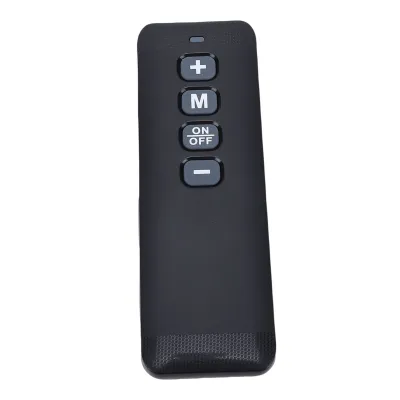
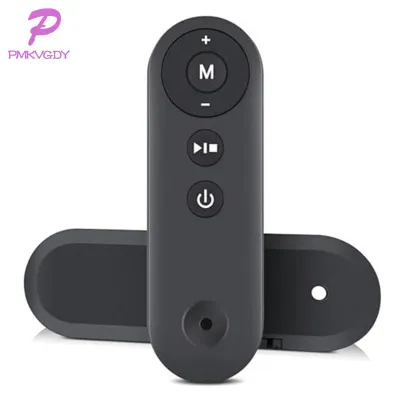
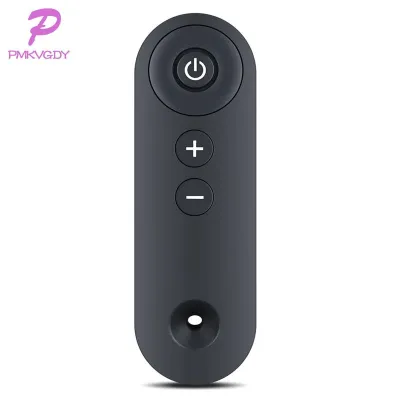
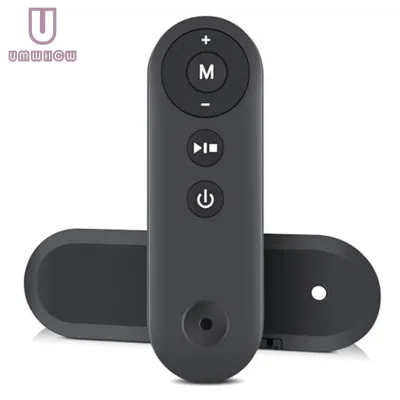
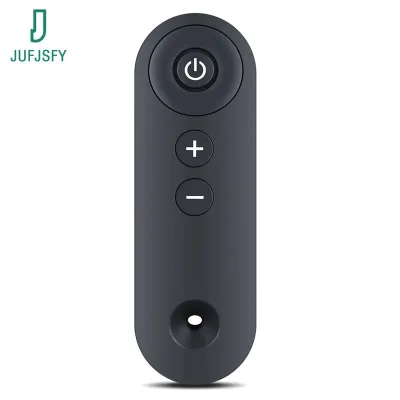
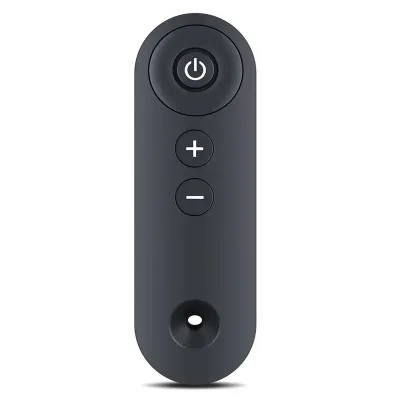
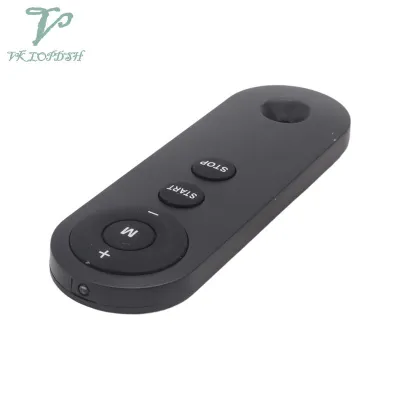
Prices are valid at publication and may change. Please refer to the product page for the latest price.
Once you have the model number, you need to determine the signal transmission protocol used by your walkpad. Walkpad remotes generally communicate using one of three technologies: Infrared (IR), Radio Frequency (RF), or Bluetooth. Infrared remotes require a direct, unobstructed line of sight between the remote’s emitter bulb and the walkpad’s receiver console, much like a traditional television remote. In contrast, Radio Frequency and Bluetooth remotes operate on omnidirectional signals, allowing you to adjust your speed even if the remote is held in your pocket or pointed away from the machine.
Finally, take note of any specialized or proprietary buttons on your original controller. Many modern walkpads feature dedicated buttons for automatic folding mechanisms, specific target programs, manual incline adjustments, or integrated safety locks. If your daily workout relies heavily on these advanced functions, a generic replacement may leave you unable to access them. Documenting these physical and technical requirements beforehand ensures you can cross-reference them with any potential replacement remote.
Original Manufacturer Remotes: Guaranteed Compatibility and Full Features
Purchasing an original replacement remote directly from your walkpad’s manufacturer or an authorized local distributor offers the most straightforward path to restoring your equipment. The primary advantage of an official remote is its plug-and-play compatibility. Because the remote is engineered specifically for your walkpad model, it requires no complex programming, manual code entry, or trial-and-error pairing sequences. You can expect immediate access to every single feature of your machine, from basic start and stop functions to complex preset speed intervals and safety key overrides.

Another significant benefit of choosing an original manufacturer remote is the preservation of your equipment’s warranty and access to official customer support. If you encounter pairing issues or erratic speed adjustments, official customer service channels can provide model-specific troubleshooting steps. In the Philippines, purchasing through authorized local dealers ensures that you receive genuine parts designed to handle local voltage standards and environmental conditions, reducing the risk of electrical mismatches.
However, opting for an original manufacturer remote does come with a few notable drawbacks. Official replacements generally carry a higher price tag, often costing several hundred pesos more than generic alternatives. Additionally, if your walkpad is an older or discontinued model, the manufacturer may no longer produce or stock the corresponding remote. This can lead to long waiting times for backordered parts or force you to search for alternative solutions if the original component is permanently out of stock.
Universal Remotes: Budget-Friendly Alternatives with Limitations
Universal walkpad remotes serve as a highly accessible and cost-effective alternative when an original replacement is either too expensive or entirely unavailable. These generic controllers are widely distributed across general e-commerce platforms and local electronics shops, making them easy to acquire quickly. For fitness enthusiasts who want to minimize downtime and avoid waiting weeks for an official shipment, a universal remote can be an appealing quick-fix solution.
Despite their convenience, universal remotes come with strict functional limitations that you must carefully evaluate. Most generic remotes rely on pre-programmed Infrared (IR) code libraries. While these libraries are designed to cover a broad range of fitness brands, they typically only support the most basic operations, such as starting the belt, stopping the belt, and incremental speed adjustments. If your walkpad requires a Bluetooth connection or utilizes a proprietary Radio Frequency band, a standard universal IR remote will not function at all.
Before purchasing a universal remote, it is absolutely essential to verify its compatibility list. Reputable universal remote manufacturers provide a detailed code manual or a list of supported walkpad brands and model series. If your specific walkpad model is not explicitly listed, there is a high probability that the remote’s internal chip will not carry the correct frequency code to communicate with your machine. Furthermore, universal remotes rarely feature proprietary safety key slots or specialized program buttons, meaning you may have to rely entirely on the walkpad’s physical console buttons to activate advanced training modes or reset safety locks.
Core Comparison Factors: Original vs. Universal Remotes
To make an informed decision, it is helpful to compare these two replacement options across several practical categories. The choice is not merely about price; it directly affects how safely and conveniently you can use your fitness equipment on a daily basis.
The first major factor is signal compatibility. Original remotes are tailored to the exact wireless protocol of your machine, whether that is Bluetooth, RF, or IR. Universal remotes are predominantly IR-based, which limits their range and requires you to maintain a clear line of sight to the walkpad’s receiver panel while walking. If your walkpad is positioned in a tight space or if you prefer to hold the remote at your side, an IR-based universal remote might suffer from dropped signals, resulting in delayed speed adjustments that could pose a safety hazard.
The second factor is feature completeness and safety integration. Original remotes seamlessly integrate with the walkpad’s built-in safety mechanisms, such as emergency stop triggers or child lock functions. Universal remotes often lack these dedicated safety pathways, which may prevent the walkpad from starting if the machine’s firmware requires a specific handshake signal from an official controller.
The following comparison table outlines the key differences you should verify before choosing your replacement remote:
| Comparison Feature | Original Manufacturer Remote | Universal Replacement Remote |
|---|---|---|
| Signal Compatibility | Matches factory spec (IR, RF, or Bluetooth) | Primarily Infrared (IR) only |
| Setup Process | Instant pairing or automatic connection | Manual code entry or search required |
| Feature Access | Full access to all presets, incline, and safety modes | Limited to basic start, stop, and speed controls |
| Safety Key Support | Fully integrated factory safety mechanisms | Often unsupported; requires console override |
| Availability | Subject to manufacturer stock and dealer networks | Highly available on major online marketplaces |
| Average Cost | Higher price point (typically ₱500 to ₱1,500+) | Budget-friendly (typically ₱150 to ₱400) |
Decision Framework: Which Walkpad Remote Should You Buy?
To determine the best path forward for your specific situation, you can use a simple conditional framework based on your walkpad’s technical specifications and your personal workout preferences.
Choose an Original Manufacturer Remote if:
- Your walkpad utilizes Bluetooth or Radio Frequency (RF) signals for omnidirectional control.
- Your daily workouts rely on advanced features, such as preset interval programs, motorized incline adjustments, or specific safety key configurations.
- Your walkpad is still covered under its original manufacturer warranty, as using unauthorized third-party accessories could potentially void your coverage.
- You prefer a hassle-free, plug-and-play setup without the need to program codes or test multiple signal frequencies.
Choose a Universal Remote if:
- Your walkpad is an older, basic model that relies on standard Infrared (IR) signals with a visible receiver window on the console.
- The original manufacturer has discontinued your walkpad model, and official replacement parts are no longer available anywhere on the market.
- You only require basic start, stop, and speed adjustment functions to complete your daily walking routine.
- You need a temporary, low-cost backup remote immediately while waiting for an official replacement to arrive.
Verify First if:
- You are uncertain about your walkpad's signal type; in this case, consult your user manual or contact the manufacturer's support line before purchasing any remote.
- You are considering a universal remote; always check the product description to confirm that your walkpad's brand is explicitly supported in the remote's code library.
Setup and Troubleshooting Your Replacement Remote
Once your replacement remote arrives, proper setup and initial testing are crucial to ensure safe operation. Start by installing fresh, high-quality batteries, paying close attention to the correct polarity markings inside the compartment. In the humid climate of the Philippines, using premium alkaline batteries is highly recommended, as cheap zinc-carbon batteries are more prone to leaking and corroding the metal contacts over time.
For Infrared (IR) remotes, perform a line-of-sight check. Ensure there are no physical obstructions, such as towels, tablet mounts, or dust buildup, covering the receiver window on your walkpad’s console. Stand on the side rails of the walkpad—never on the running belt itself—when testing the remote for the first time. Point the remote directly at the receiver and test the start, stop, and incremental speed buttons to confirm the machine responds smoothly and predictably.
For Bluetooth or Radio Frequency (RF) remotes, you will need to initiate the specific pairing sequence outlined in your walkpad’s user manual. This often involves holding down a specific combination of buttons (such as the “Start” and “Speed Up” buttons simultaneously) while turning on the walkpad’s main power switch. Keep the remote within close proximity to the console during this process until you hear a confirmation beep or see a pairing indicator light.
If your walkpad console displays unusual error codes, fails to respond, or exhibits erratic motor behavior—such as sudden speed spikes or delayed stopping—immediately step off the machine. Discontinue troubleshooting, unplug the walkpad from the wall outlet, and contact the manufacturer or a qualified fitness equipment technician. Operating a walkpad with an unstable or improperly paired remote can lead to sudden falls and serious physical injury.
Frequently Asked Questions (FAQ)
Can I use a smart TV remote to control my walkpad?
No, you cannot use a smart TV remote to control your walkpad. Although both devices may use Infrared (IR) technology, television remotes are programmed with specific consumer electronics code libraries designed for audiovisual equipment. Walkpads operate on entirely different signal frequencies and command structures. Even if you attempt to use a learning remote, the button mapping and safety protocols of fitness equipment are not compatible with home entertainment systems, and attempting to force a connection could result in unsafe operation.
What should I do if my universal remote doesn't connect to the walkpad?
If your universal remote fails to connect, first verify that the batteries are fresh and installed with the correct polarity. Next, consult the remote’s instruction manual to ensure you have entered the correct brand code or followed the manual signal search procedure properly. If you have exhausted all compatible codes and the walkpad still does not respond, or if the belt moves erratically, stop using the remote immediately. In this scenario, the universal remote’s internal library is likely incompatible with your walkpad’s receiver, and you should return the item and purchase an original manufacturer replacement to ensure safe and reliable control.

Community discussion
Share your experience or ask a question. Comments are reviewed before publication.